DKNet
DKNet.Svc.BlobStorage.AwsS3
AWS S3 implementation of IBlobService that also works against
S3-compatible services such as MinIO and Cloudflare R2.
For the operations, models, and validation rules every provider shares, read the Abstractions page first — this page covers only what is specific to S3.
✨ Why use it?
- One registration line for AWS S3.
AddS3BlobService(configuration)binds credentials, endpoint, and bucket from configuration and wiresIBlobService— noAmazonS3Clientlifetime to manage yourself. - S3-compatible stores work too.
ForcePathStyleand an explicit endpointConnectionStringcover MinIO, R2, and similar services, so local containers and production AWS share one code path. - The bucket provisions itself. On first use the client creates the configured bucket if it is missing, which removes the setup step from dev and CI environments.
- Time-limited share links without SDK code.
GetPublicAccessUrlreturns a pre-signed URL, defaulting to a one-hour lifetime.
🚀 Quick Start
dotnet add package DKNet.Svc.BlobStorage.AwsS3
// appsettings.json
// { "BlobService": { "S3": { "BucketName": "my-bucket", "ConnectionString": "https://s3.amazonaws.com", "AccessKey": "...", "Secret": "..." } } }

using DKNet.Svc.BlobStorage.AwsS3;

builder.Services.AddS3BlobService(builder.Configuration);
public sealed class ReportStorage(IBlobService blobService)
{
    public Task<string> SaveReportAsync(Stream pdf, CancellationToken ct) =>
        blobService.SaveAsync(new BlobDetails.BlobData("reports/monthly.pdf", BinaryData.FromStream(pdf)), ct);
}
AddS3BlobService(IServiceCollection, IConfiguration) binds S3Options from the "BlobService:S3" section and
registers IBlobService → S3BlobService as Scoped; the call is idempotent (safe to call more than once). The
extension method lives in the DKNet.Svc.BlobStorage.AwsS3 namespace, so add that using at the composition root.
🧩 Features
Credentials: explicit keys or the ambient AWS chain
When both AccessKey and Secret are non-blank the client is built with BasicAWSCredentials; otherwise it is built
with no explicit credentials and the AWS SDK’s default resolution chain applies (environment variables, shared profile,
instance/task role):
// Container or EC2/ECS role — leave AccessKey and Secret unset
// { "BlobService": { "S3": { "BucketName": "my-bucket", "ConnectionString": "https://s3.eu-west-1.amazonaws.com" } } }
Which path was taken is logged at Information level on first client construction.
Endpoint, path style, and HTTP detection
ConnectionString is passed to the SDK as ServiceURL, and the transport is inferred from it: a value that does not
start with https sets UseHttp = true. Set ForcePathStyle = true for MinIO and most S3-compatible services so keys
are addressed as endpoint/bucket/key instead of a virtual-host subdomain:
// { "BlobService": { "S3": { "ConnectionString": "http://localhost:9000", "BucketName": "dev",
//                            "ForcePathStyle": true, "DisablePayloadSigning": true } } }
Bucket auto-creation on first use
The first operation lists buckets and issues PutBucket for BucketName when it is absent, then caches the client for
the lifetime of the scoped service. That removes a provisioning step locally, but it also means the configured
credentials need ListBuckets/CreateBucket rights unless the bucket already exists.
Leading-slash trimming
The base class normalizes every name to start with /; this provider trims that slash again before calling S3, because
a leading slash would produce a double separator under ForcePathStyle and break SigV4 request signing. Keys are stored
exactly as passed in, without the slash.
Save and overwrite conflict
SaveAsync validates against BlobServiceOptions, checks for an existing key, and throws
InvalidOperationException when the key exists and Overwrite is false (the shared default). The upload is a single
PutObject carrying ContentType from the blob and DisablePayloadSigning from options:
var blob = new BlobDetails.BlobData("reports/2026/q1.pdf", BinaryData.FromString("..."))
{
    Overwrite = true
};
var key = await blobService.SaveAsync(blob, ct); // "reports/2026/q1.pdf"
Missing-object handling
GetAsync returns null and CheckExistsAsync returns false when S3 answers 404; any other AmazonS3Exception
propagates. CheckExistsAsync uses a prefix listing capped at two keys and then matches the exact key, so a
same-prefix sibling does not count as a hit.
Folder delete, one key at a time
A BlobRequest whose name has no file extension is a directory request; DeleteAsync then pages the prefix and deletes
each key individually until the prefix is empty, finishing with the folder marker itself.
ponytail: this SDK version’s batch delete needs a Content-MD5 header that MinIO rejects; per-key delete is the simple thing that works everywhere. Revisit batching if folder deletes with many keys become a throughput problem against real AWS S3.
Pre-signed public URLs
GetPublicAccessUrl returns a pre-signed URL valid for expiresFromNow, defaulting to TimeSpan.FromHours(1) when the
argument is omitted; it throws NotSupportedException if the SDK returns no URL:
var url = await blobService.GetPublicAccessUrl(
    new BlobRequest("reports/monthly.pdf"),
    TimeSpan.FromMinutes(15),
    ct);
Listing a prefix
ListItemsAsync streams one ListObjectsV2 page for the prefix. Each entry’s Type is inferred from object size —
anything larger than 1 byte is reported as BlobTypes.File with Details populated, anything smaller as
BlobTypes.Directory with no Details. Details.ContentType is always empty for listed items; call GetAsync when you
need the real content type.
⚙️ Configuration reference
S3Options extends BlobServiceOptions:
| Option | Type | Default | Effect |
|---|---|---|---|
ConnectionString |
string |
(required) | S3 service endpoint URL, used as the SDK’s ServiceURL; a non-https value switches the client to plain HTTP. |
BucketName |
string |
(required) | Target bucket; created on first use when missing. |
AccessKey |
string? |
null |
With Secret, selects BasicAWSCredentials; leave unset to use the ambient AWS credential chain. |
Secret |
string? |
null |
Paired with AccessKey. |
RegionEndpointName |
string? |
"us-east-1" |
Declared for configuration completeness; the client does not read this value — encode the region in ConnectionString. |
ForcePathStyle |
bool |
false |
Set true for MinIO and most S3-compatible services. |
DisablePayloadSigning |
bool |
false |
Passed to PutObject; needed by some S3-compatible endpoints over plain HTTP. |
Name (static) |
string |
"BlobService:S3" |
Configuration section key AddS3BlobService binds from. |
The shared IncludedExtensions, MaxFileNameLength, and MaxFileSizeInMb checks apply unchanged.
🧱 Where it fits
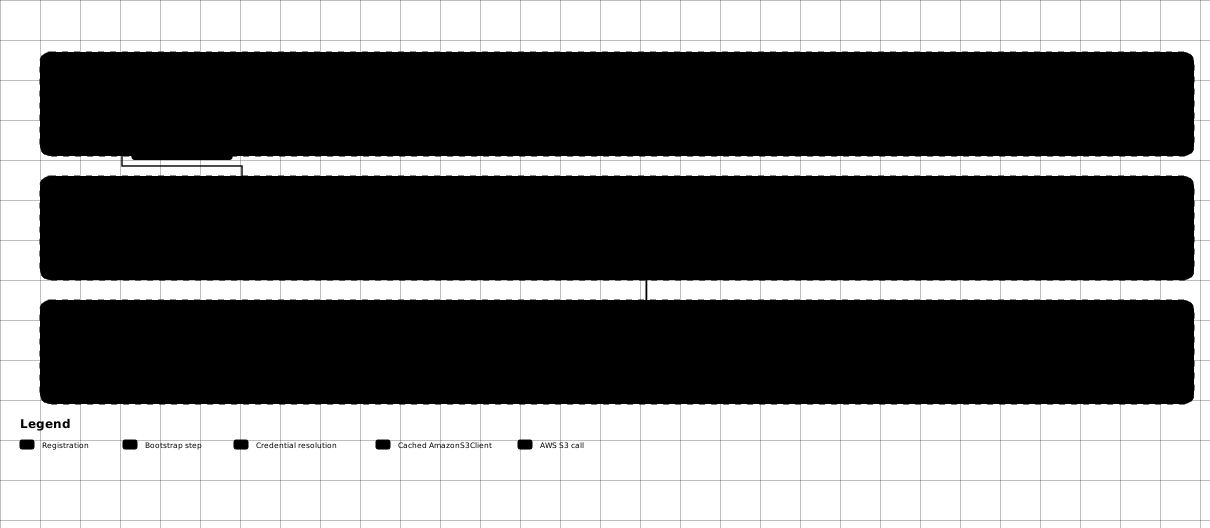
The client is not built at registration — it is built lazily on the first operation, and that first operation is also what creates the bucket:
- DKNet.Svc.BlobStorage.Abstractions —
S3BlobServicederives from itsBlobServicebase class; application code depends onIBlobService, and only the composition root knows this package exists. - DKNet.Svc.BlobStorage.Local — the usual stand-in for tests and local runs when you don’t want a MinIO container.
DKNet.EfCore.Events/DKNet.EfCore.Specifications— pair with them exactly as any provider does; see the Abstractions page.
⚠️ Gotchas & limits
RegionEndpointNameis inert. It exists onS3Optionsbut is never applied to the client configuration — encode the region intoConnectionString.- First use may create a bucket. If the credentials can create buckets, a typo in
BucketNamesilently produces a new empty bucket rather than failing. S3BlobServiceisIDisposableand caches itsAmazonS3Client. It is registeredScoped, so a client is built per scope; don’t resolve it from a long-lived singleton.- No multipart upload. Every
SaveAsyncis a singlePutObject— use the AWS SDK directly for multipart semantics on very large files. ListItemsAsyncreturns one page. There is no continuation-token loop, so a prefix with more objects than the SDK’s page size (1,000 by default) is truncated.- Objects of 1 byte or smaller are reported as directories by the listing heuristic — an artifact of inferring type from size, not a property of the object in S3.
- No blob-name-length or upload-size cap beyond the shared, opt-in
BlobServiceOptionschecks. - Registrations do not evict each other. Multiple
IBlobServiceproviders can coexist in oneIServiceCollection(e.g. S3 for archives, Local for scratch files); the last registration wins when a singleIBlobServiceis resolved.
🔗 Related packages
- DKNet.Svc.BlobStorage.Abstractions – the contract, models, and shared validation; the package application code should reference.
- DKNet.Svc.BlobStorage.AzureStorage – reach for it when blobs live in an Azure Storage account instead.
- DKNet.Svc.BlobStorage.Local – reach for it for local development, tests, and CI.