DKNet
DKNet.EfCore.DtoGenerator
A Roslyn incremental source generator that emits DTO properties from an entity type at compile time — no hand-written mapping boilerplate, no runtime reflection.
✨ Why use it?
- DTOs stop drifting from entities — declare an empty
partialshell, point it at an entity with[GenerateDto], and the property list is regenerated on every build instead of maintained by hand. - Exclusions are enforced, not remembered — per-DTO
Exclude/Includeplus a project-wideDtoGeneratorExclusionsMSBuild property mean an entity’s internal field cannot reach a DTO because someone forgot an exclusion list. - Event payloads that cannot mismatch their entity — payload records for
[RaisesEvent](see DKNet.EfCore.Events) are generated from the same entity, and the generator validates the declarations at compile time withDKRAISEVT*diagnostics. - Zero runtime footprint — the generator is a
netstandard2.0analyzer (DevelopmentDependency,PrivateAssets="all") that runs inside the compiler. A generated DTO is a plainrecord/classwithinit-only properties and no dependency on this package or any other DKNet package.
Reach for it when you want read-model / API-response DTOs or event payloads that mirror an entity’s shape (or a filtered subset of it) without maintaining the property list yourself.
It does not generate mapping methods (no FromEntity/ToEntity/FromEntities) — mapping between the entity and
the generated DTO is left entirely to you (Mapster, manual assignment, or a projection expression). The generator’s
only output is plain data.
🚀 Quick Start
<ItemGroup>
  <PackageReference Include="DKNet.EfCore.DtoGenerator" Version="{latest}" PrivateAssets="all" OutputItemType="Analyzer" />
</ItemGroup>
GenerateDtoAttribute.cs is packed as a compiled source file (contentFiles/cs/any + content, BuildAction=Compile), so it lands directly in your project’s own compilation — no extra using beyond the namespace it declares, and no additional runtime assembly reference.
using DKNet.EfCore.DtoGenerator;

public class Product
{
    public Guid Id { get; set; }
    public string Name { get; set; } = string.Empty;
    public decimal Price { get; set; }
}

[GenerateDto(typeof(Product))]
public partial record ProductDto;
This emits ProductDto.g.cs with Id, required string Name, and Price as init-only properties. The DTO shell must be partial — a record, record struct, or class all work; the generator infers the matching partial declaration (“partial record”, “partial record struct”, or “partial class”) from what you wrote.
🧩 Features
[GenerateDto(Type entityType)] — the attribute
[AttributeUsage(AttributeTargets.Class | AttributeTargets.Struct, AllowMultiple = false, Inherited = false)] — apply once per DTO shell.
| Parameter | Type | Default | Behavior |
|---|---|---|---|
entityType (ctor arg) |
Type |
required | The entity to mirror. Passed as typeof(Entity). |
Exclude |
string[] |
[] |
Property names to omit. Mutually exclusive with Include. |
Include |
string[] |
[] |
When non-empty, only these properties are generated — every other filter (local Exclude, global exclusions, IgnoreComplexType) is bypassed. |
IgnoreComplexType |
bool |
unset (falls through to project-wide, then true) |
When effectively true, navigation-style properties (see below) are dropped automatically. |
using DKNet.EfCore.DtoGenerator;

// Exclude specific properties
[GenerateDto(typeof(Product), Exclude = new[] { "Price" })]
public partial record ProductNoPriceDto;

// Include only specific properties (Exclude/global exclusions/IgnoreComplexType are ignored)
[GenerateDto(typeof(Product), Include = new[] { nameof(Product.Id), nameof(Product.Name) })]
public partial record ProductNameDto;

// Opt in to navigation properties for one DTO
[GenerateDto(typeof(Order), IgnoreComplexType = false)]
public partial record OrderWithCustomerDto;
Both Exclude and Include accept nameof(...) expressions, string literals, or a collection expression (["A", "B"]) — all three syntaxes are read at compile time via the semantic model, not by string-parsing the attribute usage.
Property selection rule (applies before any filter): every public instance property with a public getter and no index parameters, walked up the entity’s base-type chain (stopping at object/ValueType) and de-duplicated by name — so entity inheritance is followed automatically; you do not need a separate DTO per level of a base/derived entity hierarchy. Static properties and indexers are never candidates.
Global exclusions (project-wide Exclude)
A DtoGeneratorExclusions MSBuild property lets you exclude the same property names from every [GenerateDto] in the project (e.g. audit columns) without repeating Exclude = [...] everywhere. Local Exclude and global exclusions are combined; Include bypasses both. This is a big enough feature to have its own deep-dive — see Global Exclusions Guide for the full configuration steps, behavior matrix, and troubleshooting. The shape:
<PropertyGroup>
  <DtoGeneratorExclusions>CreatedBy,UpdatedBy,CreatedAt,UpdatedAt</DtoGeneratorExclusions>
</PropertyGroup>
Using Include on a DTO while global exclusions are configured produces an informational diagnostic (DKDTOGEN005) reminding you the global list was skipped for that DTO.
GlobalDtoConfiguration
DKNet.EfCore.DtoGenerator.GlobalDtoConfiguration is a documentation-only marker class living in the generator project — it is not shipped into consuming projects (unlike GenerateDtoAttribute.cs, it isn’t packed as a content file), so you won’t see or reference it from your own code. Its XML-doc remarks are the canonical description of the two project-wide MSBuild switches (DtoGeneratorExclusions, DtoGeneratorIgnoreComplexType) and their precedence rules; treat it as an in-source pointer to the Global Exclusions Guide and to the IgnoreComplexType precedence description below, not as an API surface.
IgnoreComplexType — flattening navigation properties
Default effective value is true (flat DTOs) unless overridden. Precedence when resolving the effective value for a given DTO: per-DTO IgnoreComplexType attribute argument (if explicitly set) → project-wide DtoGeneratorIgnoreComplexType MSBuild property (if set) → built-in default true.
<PropertyGroup>
  <DtoGeneratorIgnoreComplexType>false</DtoGeneratorIgnoreComplexType>
</PropertyGroup>
A property counts as an excluded “navigation” when, after unwrapping arrays/List<T>/IList<T>/ICollection<T>/IEnumerable<T> to their element type, that type is:
- a reference type, not
string, not another BCL special type, - a
class(not arecord, not astruct) — records and structs are assumed to be value objects, not entities, - not carrying an attribute named
Owned/OwnedAttribute(checked by short name, any namespace), - not in the
System.*orMicrosoft.*namespace (soUri,Version, etc. are always kept as scalars).
Include always wins over IgnoreComplexType — naming a navigation property in Include generates it regardless of the flag.
Attributes carried onto the generated property
Some attributes on the entity property are re-emitted verbatim onto the generated DTO property, so the DTO keeps the declaration without you restating it:
| Attribute source | Carried? |
|---|---|
System.ComponentModel.DataAnnotations ([Required], [MaxLength], [Range], [EmailAddress], …) |
Yes |
DKNet.EfCore.Abstractions.Attributes.SensitiveDataAttribute |
Yes, with its role arguments |
Anything else — your own validation attributes, [JsonPropertyName], attributes from other namespaces |
No |
Matching is by namespace and type name, and the constructor/named arguments are re-serialized best-effort. The
using directives the carried attributes need are added to the generated file automatically.
public class Product
{
    [MaxLength(255)]
    public string Name { get; set; } = string.Empty;

    [SensitiveData("pricing")]
    public decimal SupplierCostPrice { get; set; }

    [SensitiveData]
    public string SupplierReferenceCode { get; set; } = string.Empty;
}

[GenerateDto(typeof(Product))]
public partial record ProductDto;
generates, in ProductDto.g.cs:
using System.ComponentModel.DataAnnotations;
using DKNet.EfCore.Abstractions.Attributes;

public partial record ProductDto
{
    [MaxLength(255)]
    public required string Name { get; init; }

    [SensitiveData("pricing")]
    public decimal SupplierCostPrice { get; init; }

    [SensitiveData]
    public required string SupplierReferenceCode { get; init; }
}
A role-less [SensitiveData] is emitted as the bare attribute — never as an empty array literal — so the
generated source compiles either way.
You never re-declare [SensitiveData] on the DTO: declare it once on the entity, and every generated response
model that includes the property carries it. What the attribute then does depends on the consumer — audit-log
redaction in DKNet.EfCore.AuditLogs, and role-gated response filtering if the host opted in via
UseRoleAwareSensitiveData.
Excluding the property (Exclude, the global exclusions list, or IgnoreComplexType) removes it from the DTO
entirely, attribute and all — that is the blunter way to keep a value out of a response.
[RaisesEvent] validation (RaisesEventValidator)
RaisesEventValidator is a second IIncrementalGenerator in this same package. It does not shape DTOs itself; it validates every DKNet.EfCore.Abstractions.Events.RaisesEventAttribute declaration on an entity at build time, and — for the attribute’s convention forms only — generates the payload record, named by fixed convention. See RaisesEventAttribute for the attribute itself; DKNet.EfCore.Events is what actually raises the event at runtime (via reflection, after SaveChanges) — see DKNet.EfCore.Events.
Declaring a domain event is two separate steps:
- Shape the payload as an ordinary
[GenerateDto]record — every feature above (Include/Exclude/IgnoreComplexType) applies to it exactly like any other DTO. - Declare a raise rule on the entity with
[RaisesEvent], naming that payload, the persistence operation(s), and — forUpdated— an optional narrowing property list.
using DKNet.EfCore.Abstractions.Events;
using DKNet.EfCore.DtoGenerator;

[GenerateDto(typeof(Product))]
public partial record ProductCreatedEvent;

[GenerateDto(typeof(Product), Exclude = new[] { "InternalCost" })]
public partial record ProductPriceChangedEvent;

[RaisesEvent(typeof(ProductCreatedEvent), EventOperations.Created)]
[RaisesEvent(typeof(ProductPriceChangedEvent), EventOperations.Updated, nameof(Product.Price))]
public class Product
{
    public Guid Id { get; set; }
    public decimal Price { get; set; }
    public decimal InternalCost { get; set; }
}
RaisesEventValidator checks, at build time:
- the named payload type carries
[GenerateDto]and was generated from the same entity carrying the[RaisesEvent]rule (DKRAISEVT002otherwise); - every narrowing property (the trailing
params string[] properties) is a direct property of the entity, not a nested path (DKRAISEVT001); - narrowing set on a rule with no
Updatedflag is pointless and warned about (DKRAISEVT003), since it has no runtime effect.
Convention forms — declare no hand-written [GenerateDto] record at all, and this generator emits the payload for you, named by fixed convention and with the same default shape as [GenerateDto(typeof(Entity))] (IgnoreComplexType is not configurable on these forms — navigation properties are always omitted). The composed name is entity name + optional label + sorted narrowing properties + operations (canonical order Created, Updated, Deleted) + Event — see EventNameComposer, the single source both this generator and the runtime save hook use:
using DKNet.EfCore.Abstractions.Events;

[RaisesEvent("Touched", EventOperations.Created)]
public class Customer
{
    public Guid Id { get; set; }
    public string Name { get; set; } = string.Empty;
}
// generates CustomerTouchedCreatedEvent

// Optional — extend the generated record from your own file; it is public partial record:
public partial record CustomerTouchedCreatedEvent
{
    public string Greeting => $"Hello, {Name}";
}
The convention forms accept the same Exclude/Include named arguments as [GenerateDto] to shape the composed payload — mutually exclusive, Include overriding the project-wide DtoGeneratorExclusions list, and never affecting the composed name:
using DKNet.EfCore.Abstractions.Events;

[RaisesEvent(EventOperations.Created, Exclude = new[] { "InternalNote" })]
public class Customer
{
    public Guid Id { get; set; }
    public string Name { get; set; } = string.Empty;
    public string InternalNote { get; set; } = string.Empty;
}
// generates CustomerCreatedEvent without InternalNote
The project-wide DtoGeneratorExclusions MSBuild property (see Configuration reference below) now also narrows composed convention-form payloads that don’t set Include, exactly as it narrows hand-written [GenerateDto] DTOs.
The convention forms have their own diagnostics: DKRAISEVT004 (composed name already resolves to an existing, incompatible type — a hand-authored partial record stub with no [GenerateDto] is not a collision, it merges; guidance differs depending on whether the colliding type is a [GenerateDto] payload of the same entity), DKRAISEVT005 (the label isn’t a compile-time constant string, or the composed name isn’t a single valid C# identifier), DKRAISEVT006 (two different entities in the same namespace compose the same name — never merged into one record), DKRAISEVT007 (no operation named — the declaration, of any form, can never raise anything), DKRAISEVT008 (two declarations on the SAME entity compose the same name — never merged into one record), DKRAISEVT009 (both Exclude and Include specified on one declaration), DKRAISEVT010 (a filter names a property that isn’t a direct property of the entity), DKRAISEVT011 (Exclude/Include supplied on the type-naming form, where the named payload record already owns its own shape).
Diagnostics reference
All diagnostics use category DKNet.EfCore.DtoGenerator.
| Code | Severity | Emitted by | Meaning |
|---|---|---|---|
DKDTOGEN001 |
Warning | DtoGenerator |
Generation for a DTO threw an exception; the message is included, generation for that target is skipped, other targets are unaffected. |
DKDTOGEN002 |
Warning | DtoGenerator |
The resolved entity has zero eligible properties — usually means the entity type wasn’t resolved correctly. |
DKDTOGEN003 |
Info | DtoGenerator |
Informational: N properties were filtered in/out of the DTO (echoes the effective Include/Exclude list). |
DKDTOGEN004 |
Warning | DtoGenerator |
Include and Exclude were both specified on the same DTO — mutually exclusive; generation is skipped entirely for that DTO (no .g.cs emitted). |
DKDTOGEN005 |
Info | DtoGenerator |
Include was used while global exclusions were configured — the global list was ignored for this DTO. |
DKRAISEVT001 |
Error | RaisesEventValidator |
A narrowing property is a nested path, or isn’t a property of the entity. |
DKRAISEVT002 |
Error | RaisesEventValidator |
The named event type carries no [GenerateDto], or was generated from a different entity than the one declaring the rule. |
DKRAISEVT003 |
Warning | RaisesEventValidator |
Narrowing properties set on a rule with no Updated operation flag — ignored at runtime. |
DKRAISEVT004 |
Error | RaisesEventValidator |
Composed event name already resolves to an existing, incompatible type. |
DKRAISEVT005 |
Error | RaisesEventValidator |
The label isn’t a compile-time constant, or the composed event name isn’t a single valid C# identifier. |
DKRAISEVT006 |
Error | RaisesEventValidator |
Two different entities in the same namespace compose the same event name. |
DKRAISEVT007 |
Error | RaisesEventValidator |
A declaration (any form) names no operation — it could never raise anything. |
DKRAISEVT008 |
Error | RaisesEventValidator |
Two declarations on the SAME entity compose the same event name. |
DKRAISEVT009 |
Error | RaisesEventValidator |
A convention-form declaration specified both Exclude and Include for the composed payload — mutually exclusive; no record is emitted for that declaration. |
DKRAISEVT010 |
Error | RaisesEventValidator |
An Exclude/Include payload filter names a property that isn’t a direct property of the declaring entity (includes nested paths); no record is emitted for that declaration. |
DKRAISEVT011 |
Error | RaisesEventValidator |
Exclude/Include was supplied on the type-naming form — that form’s named payload record owns its own shape via its own [GenerateDto] filters. |
⚙️ Configuration reference
| Setting | Where | Default | Notes |
|---|---|---|---|
Exclude |
[GenerateDto] argument |
[] |
Mutually exclusive with Include; combined with global exclusions. |
Include |
[GenerateDto] argument |
[] |
Overrides Exclude, global exclusions, and IgnoreComplexType when non-empty. |
IgnoreComplexType |
[GenerateDto] argument |
unset (falls through) | Per-DTO override; see precedence above. |
DtoGeneratorExclusions |
MSBuild property (.csproj) |
unset | Comma/semicolon-separated property names excluded project-wide. Applies to [GenerateDto] DTOs and to [RaisesEvent] convention-form composed payloads alike (unless overridden by a non-empty Include). Already exposed to the compiler by this package’s buildTransitive props — no manual CompilerVisibleProperty needed. See the Global Exclusions Guide. |
DtoGeneratorIgnoreComplexType |
MSBuild property (.csproj) |
unset (built-in default true applies) |
Project-wide default for IgnoreComplexType when a DTO doesn’t set it explicitly. |
EmitCompilerGeneratedFiles / CompilerGeneratedFilesOutputPath |
MSBuild properties | unset | Standard Roslyn generator switches (not specific to this package) to write .g.cs files to disk, e.g. under obj/Generated, for inspection/debugging. |
🧱 Where it fits
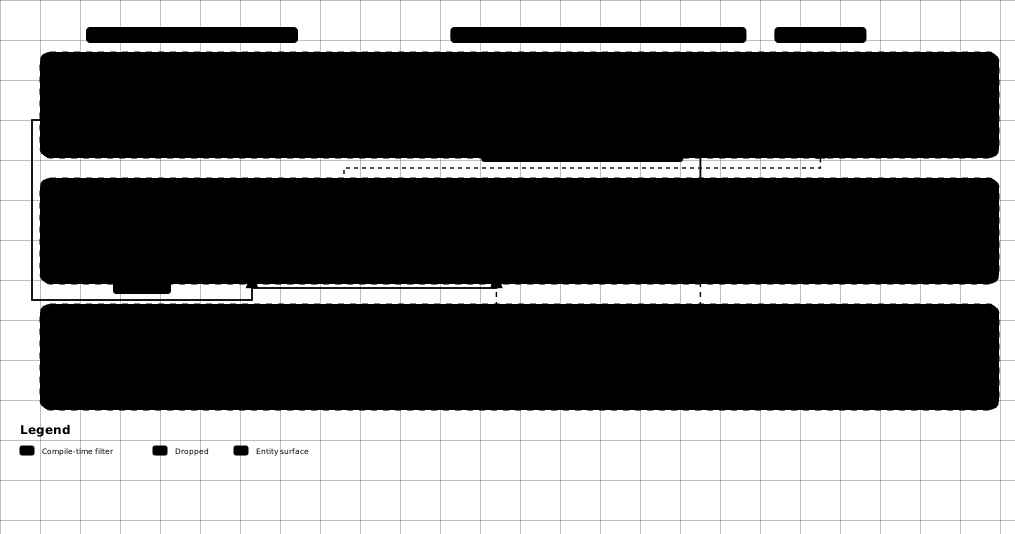
The one rule worth memorising is the filter precedence — Include short-circuits everything, and only then do
Exclude, the project-wide list, and IgnoreComplexType get a say:
- Depends on nothing at runtime. The generator assembly targets
netstandard2.0, is packed as ananalyzerwithDevelopmentDependency=trueandIncludeBuildOutput=false— it runs inside the compiler process only. A project referencing it needs no other DKNet package to compile DTOs — unless an entity declares[SensitiveData], which is carried onto the DTO and so needsDKNet.EfCore.Abstractionsreferenced. The generator itself still has no reference to that package: it matches the attribute by namespace and name in the compilation, never by loading the type. - Generated DTOs are plain data types. No base class and no interface — a generated DTO has no coupling to this generator once compiled. Project it, serialize it, return it from an API — it’s an ordinary
record/class. The only things carried onto it are the property-level attributes listed in Attributes carried onto the generated property; a DTO whose entity declares[SensitiveData]therefore does referenceDKNet.EfCore.Abstractions. - Cross-reference with
DKNet.EfCore.Abstractions:RaisesEventValidatorvalidates againstRaisesEventAttribute(declared inDKNet.EfCore.Abstractions.Events) purely by attribute name and constant shape — it does not reference theDKNet.EfCore.Abstractionsassembly at all (it even mirrorsEventOperations.Updated’s numeric value as a local constant rather than referencing the real enum). The one exception is the naming algorithm itself:EventNameComposer.cslives inDKNet.EfCore.Abstractionsand is<Compile Include>-linked (not project-referenced) into this generator, so the build-time composed name and theDKNet.EfCore.Eventsruntime-composed name are produced by the exact same source and can never disagree. A domain project can declare[RaisesEvent]rules and reference onlyDKNet.EfCore.Abstractions+ this generator, and it builds and packs cleanly — the rules simply never raise untilDKNet.EfCore.Eventsis wired up. DKNet.EfCore.Eventsis the runtime counterpart: it reads[RaisesEvent]via reflection after a successfulSaveChangesand raises the named payload, mapping the entity onto it through a registeredIMapper(e.g. Mapster). See DKNet.EfCore.Events.- No built-in Mapster/AutoMapper integration. Unlike some earlier iterations of this generator, no mapping helper methods are emitted — you choose your own mapping approach (e.g. Mapster’s
Adapt/ProjectToType, or manual assignment) for entity ↔ DTO conversion.
⚠️ Gotchas & limits
IncludeandExcludeare mutually exclusive on the same DTO. Specifying both doesn’t merge them — it producesDKDTOGEN004and skips generation entirely for that DTO (not even the unfiltered property set is emitted).- The DTO shell must be
partial. A non-partialrecord/class/structcan’t receive the generator’s emitted partial declaration; the C# compiler itself will report a conflicting-partial-modifier error, not this generator. - Hand-written properties always win. If you declare a property with the same name in your own (non-generated) source, the generator skips emitting that name — this is the supported override/extension point, not an error.
- Entity inheritance IS followed — properties from base entity types are included automatically (deduplicated by name, walking up to but not including
object/ValueType). You do not need to flatten a base/derived hierarchy by hand. - Records and value-object-style properties are never treated as navigation, even with
IgnoreComplexType = true— the navigation check only fires forclasstypes that are notrecord. Model value objects asrecord(or mark them[Owned]) if you want them to survive the default flat-DTO filtering. - Generic entities have limited support — the DTO shell itself must be non-generic; there is no generated generic DTO shape for a generic entity.
- Nullability drives the generated shape, not just the type name: non-nullable
string→required; non-nullable collection → initialized with= [];; a non-nullable complex reference type that is generated (e.g.IgnoreComplexType = false, or an[Owned]/record/BCL type) → initialized with= null!;to satisfy nullable-reference-type analysis. Nullable variants get no initializer. - Only
System.ComponentModel.DataAnnotationsattributes and[SensitiveData]are copied from entity property to DTO property (best-effort re-serialization of the attribute’s constructor/named arguments) — custom validation attributes and attributes from any other namespace are not copied. - A carried
[SensitiveData]makes the generated DTO referenceDKNet.EfCore.Abstractions. That is the one exception to “generated DTOs are plain data types”: the emittedusing DKNet.EfCore.Abstractions.Attributes;means the project holding the DTO must reference that package to compile — which it already does if the entity lives in the same solution. DTOs generated from entities with no[SensitiveData]stay dependency-free as before. - Diagnostics don’t all stop the build.
DKDTOGEN00xcodes are Warning/Info only — a mistake there degrades the generated DTO shape but still compiles.DKRAISEVT00xcodes are all Error except003, which is a Warning — every Error-level one fails the build.
🔗 Related packages
- DKNet.EfCore.Events – the runtime counterpart. Reach for it to actually raise the
[RaisesEvent]payloads this generator emits and validates. - DKNet.EfCore.Abstractions – declares
[RaisesEvent],EventOperations, and the entity base classes the generated DTOs are derived from. Reach for it when modelling the entity itself. - Global Exclusions Guide – the full behaviour of the project-wide
DtoGeneratorExclusions/DtoGeneratorIgnoreComplexTypeMSBuild properties. Reach for it when tuning exclusions across a whole project rather than one DTO. - DKNet.EfCore.Specifications –
ModelSpecification<TEntity, TModel>projects an entity onto a model type in the query itself. Reach for it when you want the projection pushed into SQL; reach for this generator when you want the DTO type written for you.